Slowdown in Local Recordings After the Auto-Config Wizard

No, 3 incomplete logs are posted above.

Resizable Bar. I enabled it on my system shortly after I finished the build. Going on 4 years now with no issues but certain games don't work well with it.
 
No, 3 incomplete logs are posted above.

Resizable Bar. I enabled it on my system shortly after I finished the build. Going on 4 years now with no issues but certain games don't work well with it.
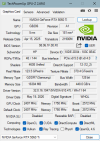
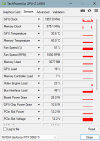
Thank you for sticking with me through this. What defines a complete log, and how do I produce one? Not sure if this helps, but I did check GPU-Z, and REBAR is disabled by default.
 

Attachments

  • 1.png
    1.png
    36.8 KB · Views: 4
  • 2.png
    2.png
    20.4 KB · Views: 4
  • 3.png
    3.png
    20.7 KB · Views: 4
Last edited:
Hit the ?, run the test. See if it switches to x16. If no, there is most likely a drive in the top slot of your mobo.
1780684560791.png


Full log. Open OBS, run your test. Close/reopen OBS & post the previous log.
 
GPU-Z looks good. I just forgot about the 5060 only needing x8. That's nice if you want to use that top slot.

There's no lag in the log. I don't think OBS is the issue. But let's keep try to eliminate errors.

Does the slowdown happen randomly or does it seem to happen in somewhat set intervals?

Your monitor is at @ 59HZ, there will be errors.

Fairly certain this was not running on previous logs.
15:33:07.801: Bitdefender Antivirus: enabled (AV)
15:33:07.804: Microsoft Defender Antivirus: disabled (AV)
15:33:07.804: Bitdefender Firewall: enabled (FW)
15:33:07.804: Windows Firewall: disabled (FW)

Run the next test with Game capture if possible.
 
I looked at all the logs again. That last log, Available RAM was around 4GB, that was about half of what it was in the other logs. Wonder if it was bit-defender sucking up the other 4GB? Anyway, close all apps not needed when using OBS & check for conflicts.

 
Well, first off, the lag does appear to be completely random, but it happens in every recording and always seems to last a second at the most. The refresh rate my monitor's set to is actually 60hz for compatibility's sake as I only attempt to run games at 30 or 60 FPS (it supports up to 280hz, so that may or may not have an impact), and I installed Bitdefender to check for any malware or infections that might be causing the lag (i.e., the lag existed before Bitdefender.)
 
Honestly think it's the source(s). Those test videos would have shed some light but I don't think you ever took the time to troubleshoot with them.

Yeah but it's not exactly 60. So over time errors are adding up & at some point there's stuttering or worse. This is when it might be happening more at a set interval. Every few minutes or longer.
 
Last edited:
Somebody on here was trying to record those test files directly from YT. I told him it was the sources (YT) & then I proved it to him. I recorded directly from YT no dice, no true 60FPS. Next, I downloaded the files from YT & played them locally. Success, no lag, no skips, no duplicate frames while viewing or in the encodings. I go frame by frame in Vegas to test. He had the same result too when I sent him the files.
 
Back
Top